Setting Up Your Membership Site
Turn your client onboarding into a professional experience that impresses from day one. This simple 4-step process will have your client portal looking amazing and working smoothly in under 30 minutes. Click on a button to jump to their specific section. [ Watch our 14-minute video guide here. ]
Creating An Amazing Client Onboarding Experience
Your Client Portal (also known as Membership Site) is a powerful tool that creates a seamless and professional experience for your clients. This centralized hub allows clients to access their courses, track progress, and interact with your communities in one organized location.
This means that all subsequent courses they buy from you or any other community you own that they join will be housed in one place.
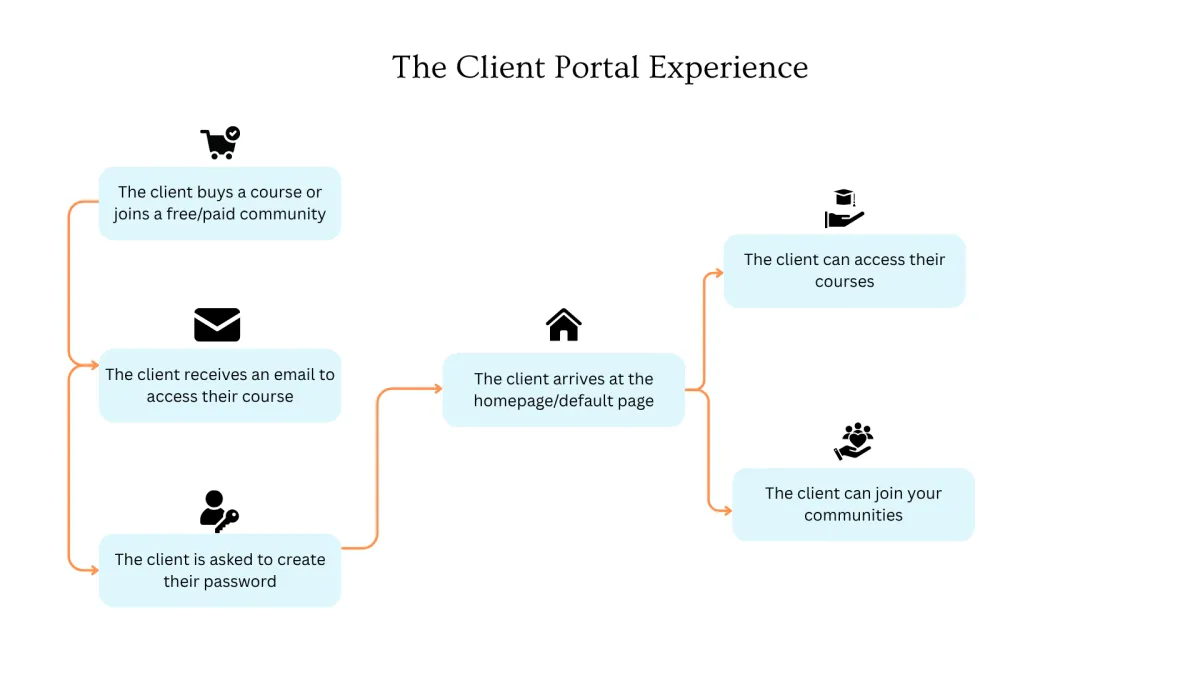
Please see below diagram to see the sign up process works.
Setting up a Subdomain
A custom domain makes your business look professional and builds trust. Go through the following steps to set this up.
Step 1: Come up with a subdomain name for your client portal's web address. Most commonly used names are learn.yourdomain.com , members.yourdomain.com , portal.yourdomain.com.
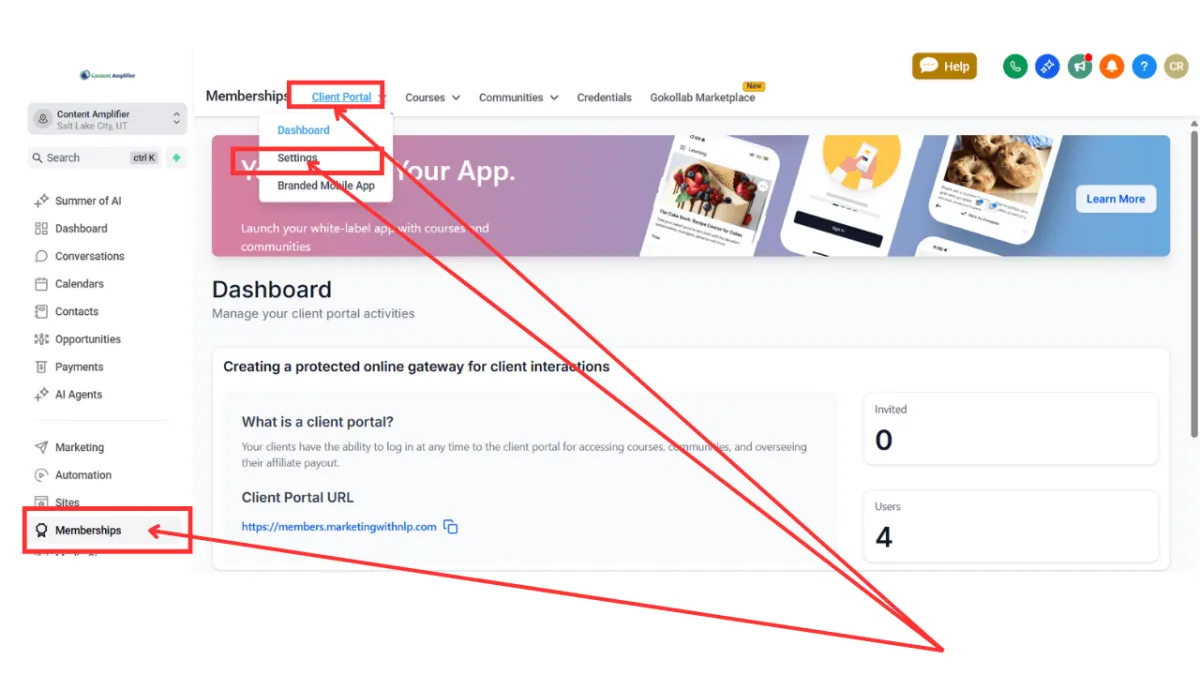
Step 2: Go to Memberships > Client Portal > Settings
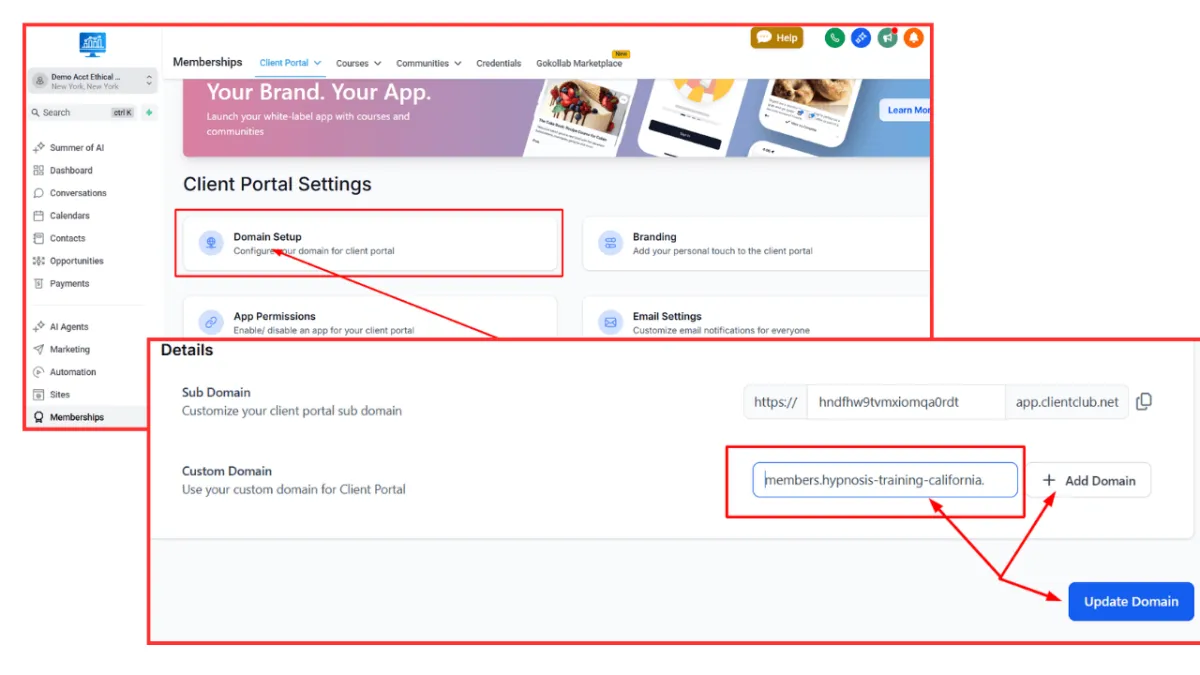
Step 3: Click on "Domain Setup". Type your chosen subdomain name on the Custom Domain box. For this example, we’re using members.hypnosis-training-california.com.
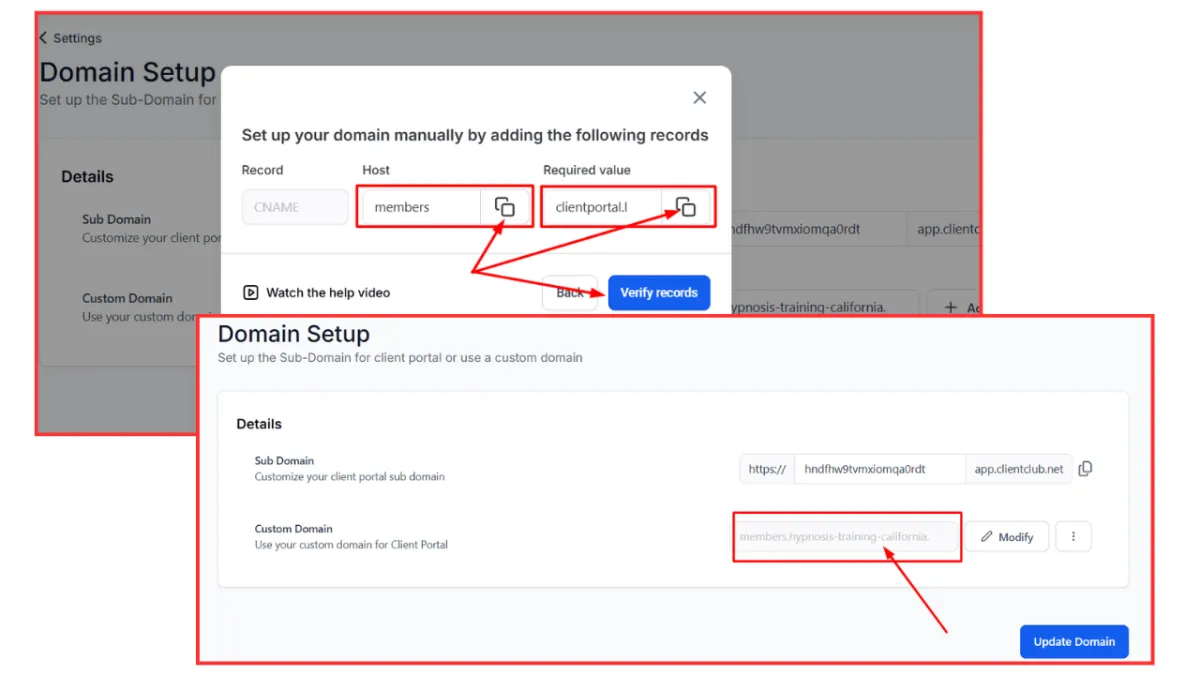
Step 4: Click on “Add Domain”. From the pop up box click on “Continue” if you’re using Cloudflare or GoDaddy. Otherwise, click on “Add record manually”. If you’re using GoDaddy or Cloudflare it will direct you to login and “Connect”. If you’ve clicked on “Add record manually”, it will show you the DNS record to add your domain registrar.